
Choose the right keyboard for you
-
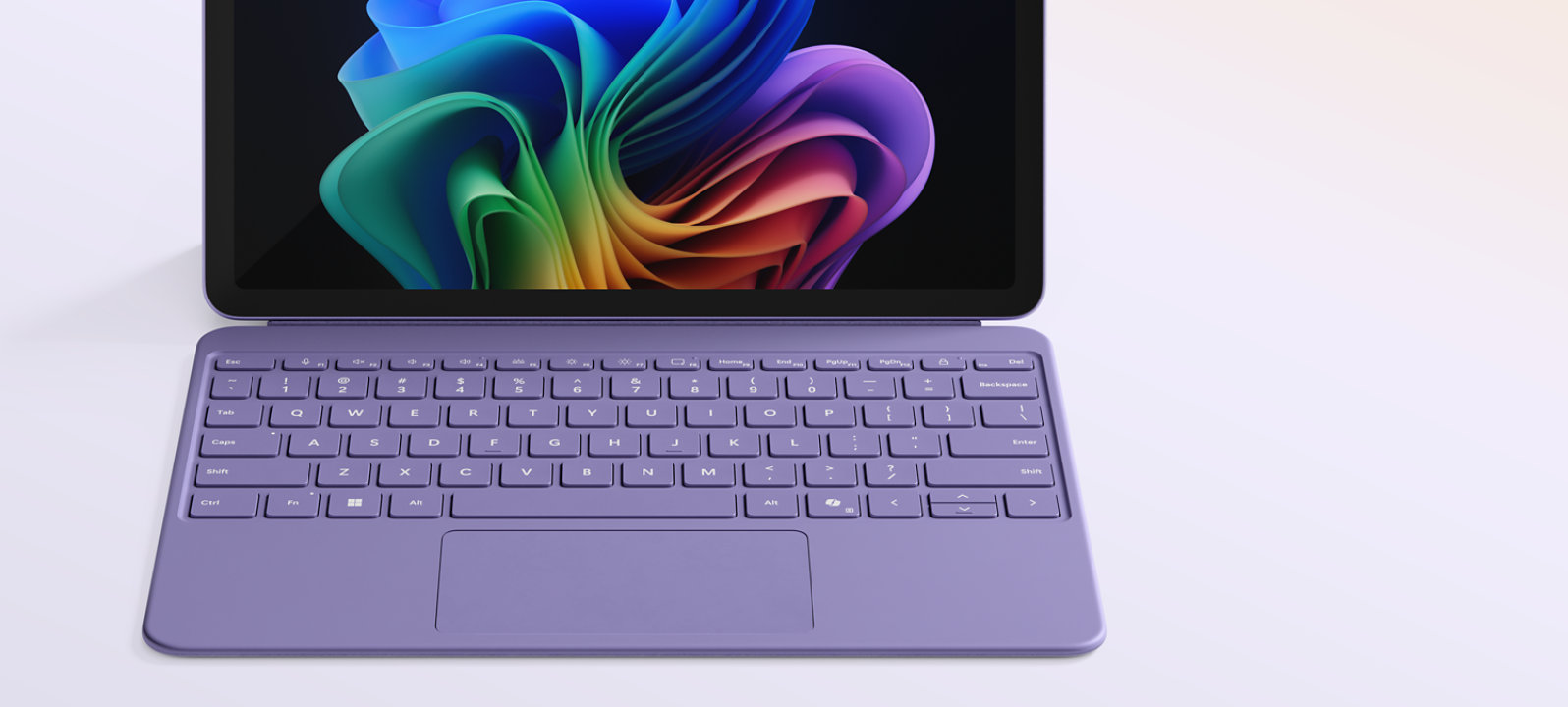
Surface Pro 12-inch Keyboard
Transform Surface Pro into a powerful laptop in a click. Enjoy a full-size backlit keyboard and dedicated Copilot key for instant AI access.2
- Colour: Violet, Ocean and Slate3
- Compatibility: Surface Pro, Copilot+ PC, 12-inch1

-
Surface Pro 13-inch Flex Keyboard
Use this keyboard attached to your Surface Pro for the ultimate laptop set-up or detached as a standalone keyboard for added flexibility.5
- Pen storage: Built-in storage and charging
- Colour: Black and Bright Sapphire3
- Compatibility: Surface Pro (11th Edition), Surface Pro 9 and Surface Pro 81
- Pen storage: Built-in storage and charging

-
Surface Pro 13-inch Keyboard with pen storage
Enjoy comfortable typing and a mechanical touchpad in a compact, portable design wrapped in the durable Alcantara® material.
- Pen storage: Built-in storage and charging
- Colour: Black, Platinum, Dune and Sapphire3
- Compatibility: Surface Pro (11th Edition), Surface Pro 9, Surface Pro 81,6

-
Surface Pro 13-inch Keyboard
Tackle any task with a keyboard featuring comfortable typing, a spacious touchpad and a design that easily attaches to Surface Pro. Wrapped in the smooth PU material.
- Colour: Black
- Compatibility: Surface Pro (11th Edition), Surface Pro 9, Surface Pro 81,6
- Colour: Black
Choose the right keyboard for you

Surface Pro 12-inch Keyboard
Starting at
$ • •
- New soft-matte palm rest that's easy to wipe clean
- Spacious precision touchpad for endless scrolling
- Available in new Violet, Ocean and Slate3
- Compatible with Surface Pro, Copilot+ PC, 12-inch1

Surface Pro 13-inch Flex Keyboard
Starting at
$ • •
- Use both attached and detached5
- Larger, haptic touchpad
- Built in Slim Pen storage and charging
- Wrapped in durable Alcantara® material
- Available in Black and Bright Sapphire3
- Compatible with Surface Pro (11th Edition), Surface Pro 9 and Surface Pro 81

Surface Pro 13-inch Keyboard with pen storage
Starting at
$ • •
- Built in Slim Pen storage and charging
- Large glass touchpad
- Wrapped in durable Alcantara® material
- Available in Black, Platinum, Dune and Bright Sapphire3
- Compatible with Surface Pro (11th Edition), Surface Pro 9, Surface Pro 81,6

Surface Pro 13-inch Keyboard
Starting at
$ • •
- Premium typing and glass touchpad
- Compatible with Surface Pro (11th Edition), Surface Pro 9, Surface Pro 81,6
Frequently Asked Questions
-
With a Surface Pro Keyboard, you have the ability to type comfortably and work your way anywhere. The Pro Keyboards are sold separately to allow customers the flexibility to choose the keyboard that best suits their needs and preferences.
-
No, each keyboard is compatible only with its corresponding device size, 12-inch or 13-inch.
-
Our keyboards are designed with distinctive features that can fit your needs. Here are the feature differences:
- Surface Pro 12-inch Keyboard: This keyboard features a full-sized backlit keyset, a customisable precision touchpad with adaptive touch mode and a dynamic hinge designed for easy attachment. It allows seamless posture transitions while remaining attached and ensures comfortable typing wherever you go. The palm rest is made of smooth matte material, while the back cover is crafted from Alcantara ®. It is available in three expressive colours and also offers an optional bold keyset with a larger font and brighter backlight for enhanced visibility.
- Surface Pro 13-inch Flex Keyboard: Designed for flexibility, this keyboard can be used either attached or detached from the Surface Pro 13-inch, providing a more personalised workflow. It includes a large, customisable precision haptic touchpad with adaptive touch mode, a full-sized backlit keyset, pen storage always visible and carbon fibre layers for added stability. With all-day battery life and made of Alcantara ® on both the front and back. Available in two expressive colours, it also offers an optional bold keyset with larger font and brighter backlight for improved visibility.
- Surface Pro 13-inch Keyboard with pen storage: This keyboard includes a full-sized backlit keyset, a mechanical touchpad and integrated pen storage for convenience. Made of Alcantara ® on both the front and back. It is available in four expressive colours and features an optional bold keyset with larger font and brighter backlight for enhanced visibility.
- Surface Pro 13-inch Keyboard: Featuring a full-sized backlit keyset and a mechanical touchpad, this keyboard is made of durable material. It is available in one colour only.
-
- This keyboard line is only compatible with Surface Pro 12-inch devices.
- For more information, see compatibility details.
-
- This keyboard line is only compatible with Surface Pro 13-inch devices.
- For more information, see compatibility details.
-
To identify your device model, see Find out which Surface model you have.
-
[1] Sold separately.
-
[2] Copilot key feature availability varies by market, see Key Support.
-
[3] Available colours may vary by market.
-
[5] Detached use requires Windows 11.
-
[6] For a complete list of all compatible devices see Compatibility Details.