


Play together across devices
Tap into the heart of Xbox with a community of millions of players ready and waiting to play together. Connect and play with others from a shared library of games, whether they’re on the other side of the world or sitting right next to you.

Pick up and play
Start a game and take your progress with you across multiple devices. Get right to the game when your friends are ready to play, even while you're installing or downloading it to your console


Discover more ways to play
Cloud gaming is available on supported PCs, consoles, mobile phones, tablets, select LG and Samsung Smart TVs and select Meta Quest VR headsets, with more devices coming soon.
VIEW ALL DEVICES

Xbox on PC
Discover, download, stream games and more with Xbox on PC. See what your friends are playing and chat with them across devices.
EXPLORE XBOX ON PC

Xbox consoles
Play on your Xbox Series X|S and Xbox One consoles.
Experience games right from the cloud.

Xbox on TVs
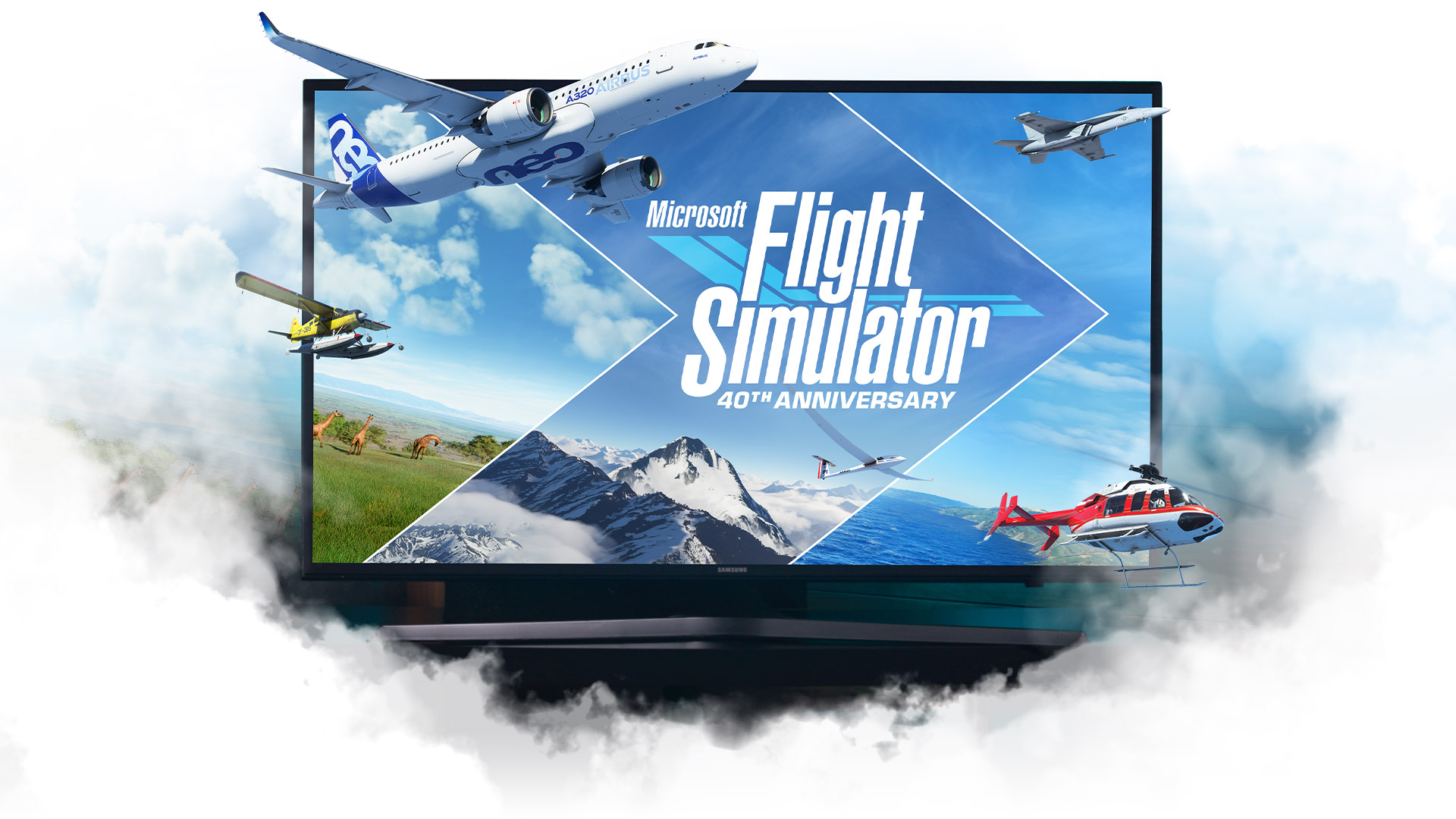
Stream Xbox games directly on select LG TVs supporting webOS 24 and newer versions, select Samsung 2020 and newer TVs, plus Amazon Fire TV.
EXPLORE XBOX ON TVS
Xbox on VR headsets
Play on a massive virtual 2D display. No TV or console required.
EXPLORE XBOX ON VR HEADSETS
Choose the plan that’s right for you
Discover your next favourite game. Whether you play on console, PC, or all devices, there's a plan for you. Cancel any time to stop future charges.

Mobile gaming accessories
Connect the latest mobile gaming accessories to enhance your mobile gaming experience.

ROG Xbox Ally handhelds
Power of Xbox. Freedom of Windows. Craftmanship of ROG.
Frequently Asked Questions
Xbox Cloud Gaming allows you to play hundreds of console games on the devices you already have. Play supported free-to-play games like Fortnite with a free Microsoft account, or hundreds of games with an Xbox Game Pass Ultimate, Premium or Essential subscription.
To play console games from the cloud on your device you’ll need the following:
1. An active Xbox Game Pass Ultimate, Premium or Essential subscription and supported game in a supported region. To play selected free-to-play games with cloud gaming, all you need is a free Microsoft account in a supported region.
2. A supported device including Windows PC, Apple or Android phones and tablets, Xbox console, select LG and Samsung Smart TVs plus Amazon Fire TV, select Meta Quest VR headsets and more.
3. A compatible controller connected via Bluetooth or USB. Selected games can be played with Xbox touch controls.
4. A Wi-Fi/4G data connection with minimum of 10Mbps down-speed. Please note, some devices may require 20Mbps for the best quality. We recommend using a 5Ghz Wi-Fi connection.
5. If playing on xbox.com, a supported browser such as Microsoft Edge, Google Chrome, or Safari.
Selected free-to-play games and most titles in the Xbox Game Pass library are available to play from the cloud. To explore the full library of games playable from the cloud, visit xbox.com/play. Game titles, number, features, and availability vary over time, by region, Xbox Game Pass plan and platform.
Yes. You can stream select cloud playable games you own or buy that are not included with Xbox Game Pass on all your devices including Xbox consoles, Windows PC, TVs, phones, tablets, VR headsets and browsers.
Additionally, if you have a Ubisoft+ Premium subscription and a supported cloud playable game is in their catalogue, you can stream it without purchasing the game.
To play console games from the cloud on your device, you’ll need a high-speed internet connection (ISP fees apply). Best performance will be achieved at rates of 10 Mbps on mobile devices, 20 Mbps on consoles, PCs and tablets and 5GHz WiFi or mobile data connection. Streaming performance is affected by internet connection, user location, device and other factors. Your gameplay on other devices may be limited. Streamed games may have limited functionality, for example:
- Limited video resolution;
- Limited audio outputs;
- Limited game save storage (cloud saves only);
- Limited in-game purchases;
- Limited user-generated content functionality;
- Limited companion app support; and/or
- Limited accessory and peripheral support.
The recurring billing feature is switched on by default, meaning you'll automatically pay for a new subscription period when your current period ends.
You can switch recurring billing off and back on through your Microsoft account or from your console. Learn more about stopping recurring billing at Microsoft Support.
If you did not want to be charged for recurring billing, but failed to switch off recurring billing before your payment was processed, you’re still entitled to a refund of your most recent recurring billing charge if you cancel your subscription within 30 days after payment. This refund right is limited to one time per Microsoft account, per subscription product. You can submit such a refund request to our Support team: Request a refund.
See more FAQs
-
Xbox Subscription Terms:
See xbox.com/subscriptionterms. -
Promotional Offers:
1Sign in for your available offers. Promotional offers may be for new subscribers only and/or not be valid for all subscribers, and are only available for a limited time. Offers available in selected regions only. Credit card required. After promotional period, subscription automatically continues at the then-current regular price (subject to change), unless cancelled, plus applicable taxes.
2Excludes Call of Duty titles -
Rewards:
3Rewards: Terms apply. Microsoft Account required. microsoft.com/cardterms. Point values vary by local market currency, Rewards level and the number of points redeemed. Point values vary by currency fluctuations, Rewards level and the number of points redeemed. -
Xbox Cloud Gaming:
4Xbox Cloud Gaming requires an Xbox Game Pass subscription and supported device (both sold separately). Cloud playable games not included with Xbox Game Pass are sold separately, and may be made available with Xbox Game Pass in the future. Game library varies. Stream directly on Xbox consoles, or with the Xbox app or at xbox.com/play). -
Xbox Game Pass Availability Notice:
Game titles, number, features, and availability vary over time, by region, Xbox Game Pass plan and platform. See the current game library at xbox.com/regions. -
Recurring Billing:
By subscribing you are authorising recurring payments made to Microsoft at the intervals you selected, until cancelled. To stop being charged, cancel your subscription in your Microsoft account (Microsoft Store Terms of Sale.


